 Big Weather
Black Friday33% off Premium Lifetime: $29.99 $19.99, until 3 December
Weather in your menu bar that's nice to look at.
A glance at the menu bar gives you the temperature. Click it and the days ahead show up as one curve, so you can see when the rain comes in and when it clears without reading a table.

Your plans, on the chart
The Calendar layout reads your calendar and puts your plans on the chart, each with the weather at its time. A plan in another town gets that town's forecast, and the chart follows you there.
Trips follow you
With Apple Intelligence, a flight, a train or an all-day event such as “Barcelona” moves the forecast with you for the days you're away. When the trip is someone else's, like “Emma in Paris”, you stay home and their days show up alongside yours.
The day and the week, in a sentence
The menu bar tells you what today holds (“Rain at 4PM”), and the panel sums up the week. From Thursday on, it covers next week too.
Apple Intelligence writes them on your Mac using on-device processing, without sending your location to third-party AI services. Other Macs get the regular summary.
Official warnings, word for word
When a flood, storm or heat warning covers where you are, it sits at the top of the panel as the weather service wrote it. Each day it touches gets a marker, and the menu bar gives you a heads-up.
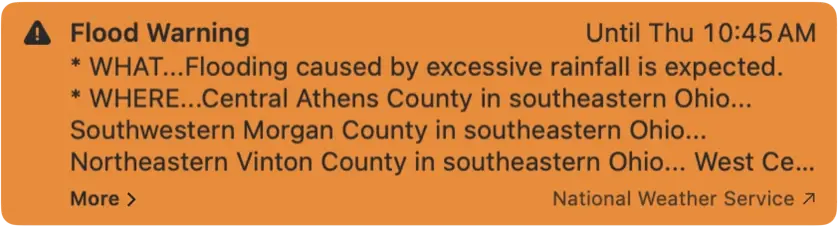
In the US, Canada, Mexico and Europe.
Your calendar stays on your Mac
Your calendar is read on your Mac, and nothing from it reaches me. For a plan's forecast, its place goes to Apple's weather and map services, as your own location does. No ads, no profile.
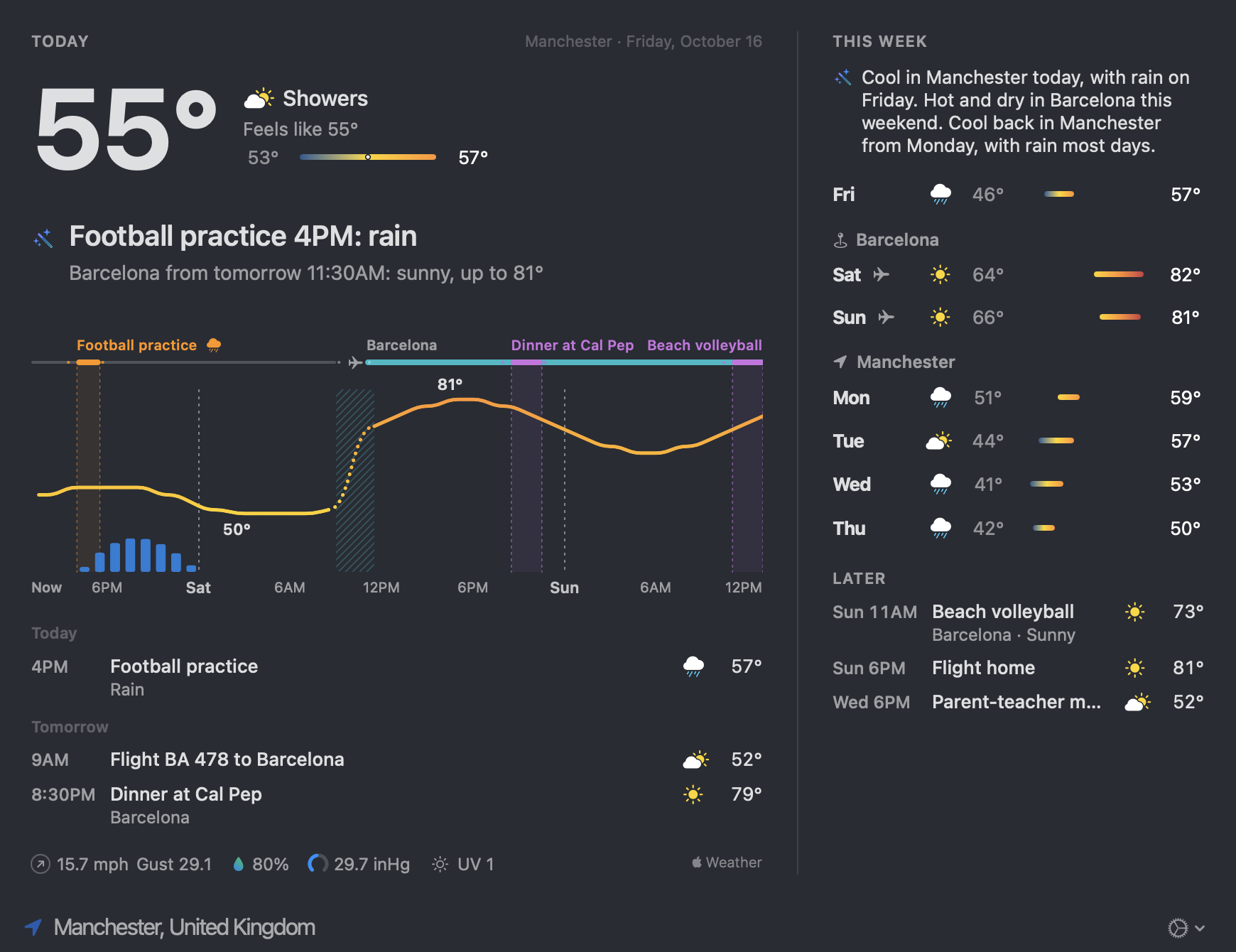
Or the days ahead, as one curve.
The layout everyone gets. Up to three days of it, or ten with Premium, still hour by hour.
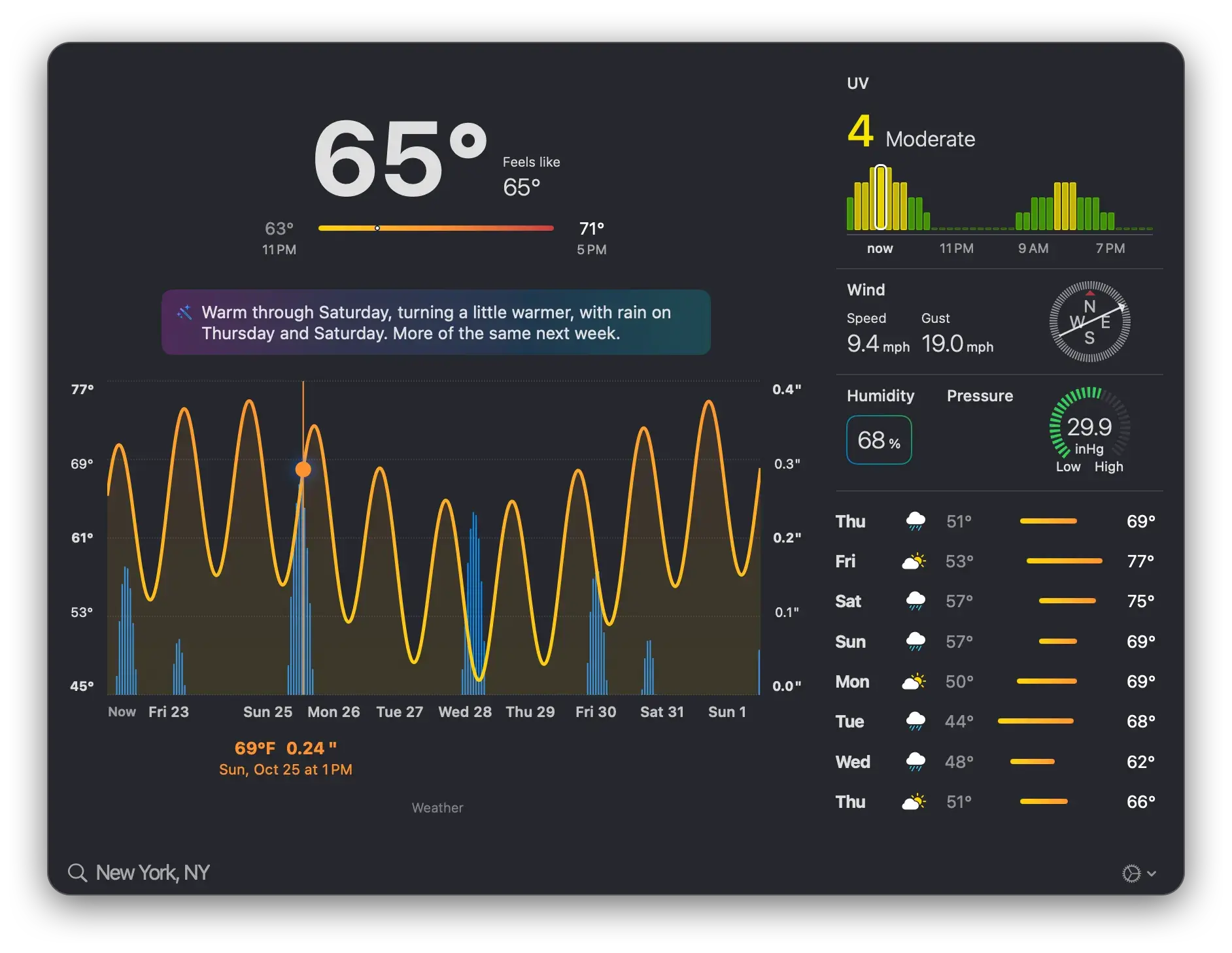
The hour under your cursorRun along the curve and it reads out that hour's temperature and rain.
Rain as barsUnder the line, so you see when it comes and how hard.
UV, hour by hourToday and tomorrow, so you know when the hat comes out.
Each day's low and highOn one bar, so the warm days and the cold ones stand out before you've read a number.
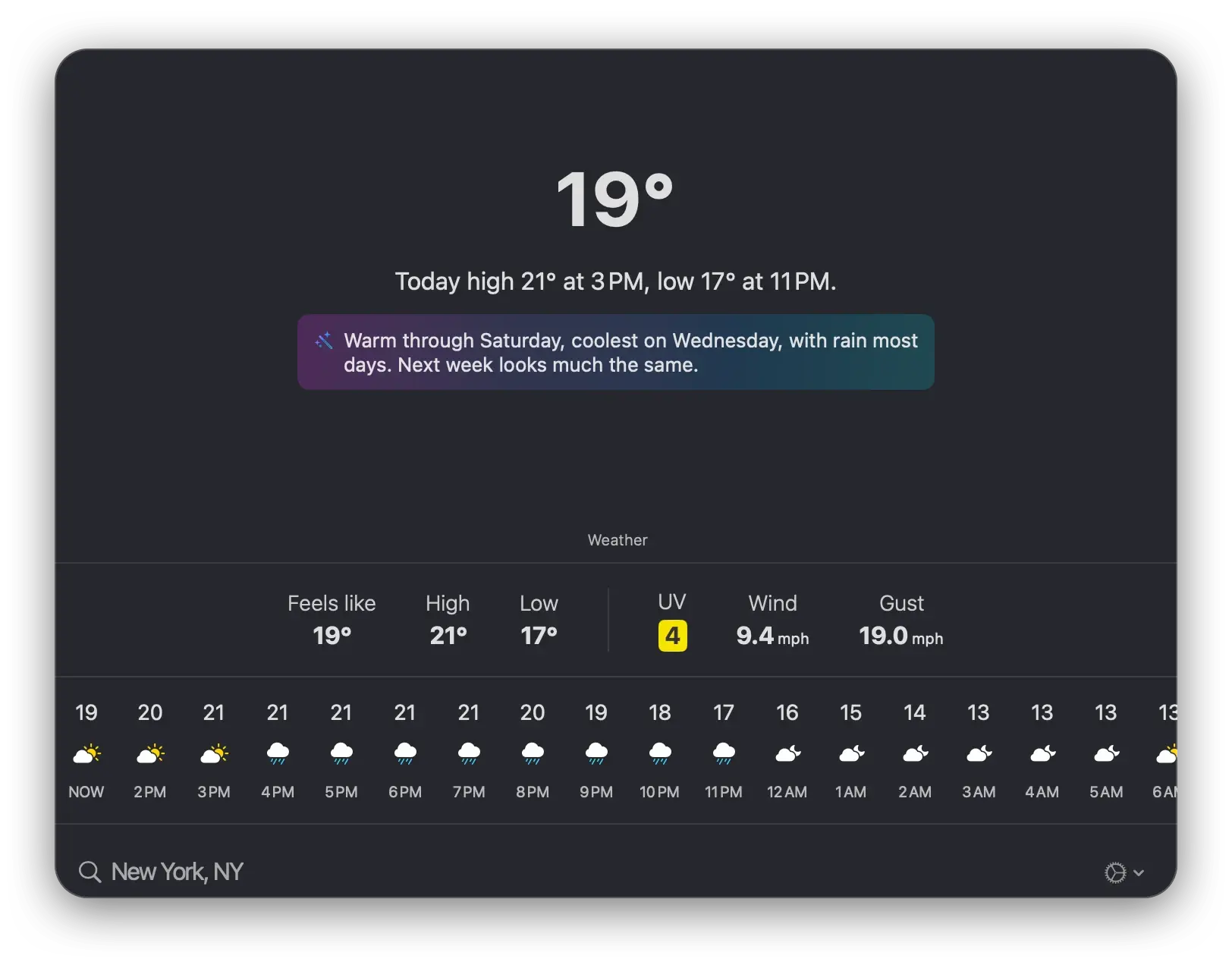
Or just the basics.
If the wave is more than you need, switch to a plain row of hours and temperatures and be done with it.
- Light or dark, chart or plain text, °C, °F or both, and a keyboard shortcut to open it.
- Your current location, or any city in the world. Save the places you keep checking and hop between them.
- It opens instantly and won't show up in the list of things eating your battery.
Free, or Premium.
Free
$0
What most people need from a menu bar weather app. No ads.
- Temperature and conditions in the menu bar
- Your location, or any city in the world
- Up to 3 days of temperature and rain, hour by hour
- Scroll and pinch the hourly chart
- 3-day forecast
- UV for today and tomorrow
- Wind, pressure and humidity
Premium
$29.99$19.99 once, yours for good
Black Friday price until 3 December. No code needed.
Or $1.99 a month or $9.99 a year, both starting with a month free.
- Everything in Free, plus:
- 10 days of forecast, hour by hour
- AI insights for the day and the week (macOS 27)
- The Calendar layout: the weather for your plans and trips
- Official weather warnings
- Apple's weather data, usually sharper for your exact spot
- More frequent updates
- Family Sharing across your Macs
- And you keep a one-person shop going, which I appreciate
“Terrific menu bar app. Selecting the menu bar graphic brings excellent, clear and concise graphics.”
App Store review, United States
“Easy to understand data can be customized via IAP and called up with a keyboard shortcut. Essential menu bar tool.”
App Store review, United Kingdom
Questions.
Setting it up, Premium on another Mac, languages and the odd thing that goes wrong are on the support page. Still stuck? Write to me; I usually reply within a day.
Why would I use this when my Mac already has Weather?
Apple's Weather is good, and if it does the job for you, keep it. Big Weather lives in the menu bar, so there's nothing to open, and it's drawn so that one look tells you what's coming. It's free, so give it a go and see which one you reach for.
Where does the weather data come from?
The free version uses a solid global forecast that covers everywhere. Premium switches you to Apple's weather data, which tends to be sharper about your particular street.
Are you tracking me?
No. Your location goes out to fetch the forecast and that's the end of it. With the Calendar layout, your calendar is read on your Mac, and only your plans' places go out, to Apple's weather and map services. What I do see is anonymous, aggregated numbers through TelemetryDeck: which features get used, never who used them. Purchases go through the App Store, so I never learn who you are either.

Give it a go.
It's free, it's small, and it takes about a minute to know whether it suits you.